MCP for design in 2027: which server to use at each step of your workflow
A designer's week has four jobs: research, design system work, handoff to code, and QA. A different MCP server is good at each. Here is which one, and how to set it up.

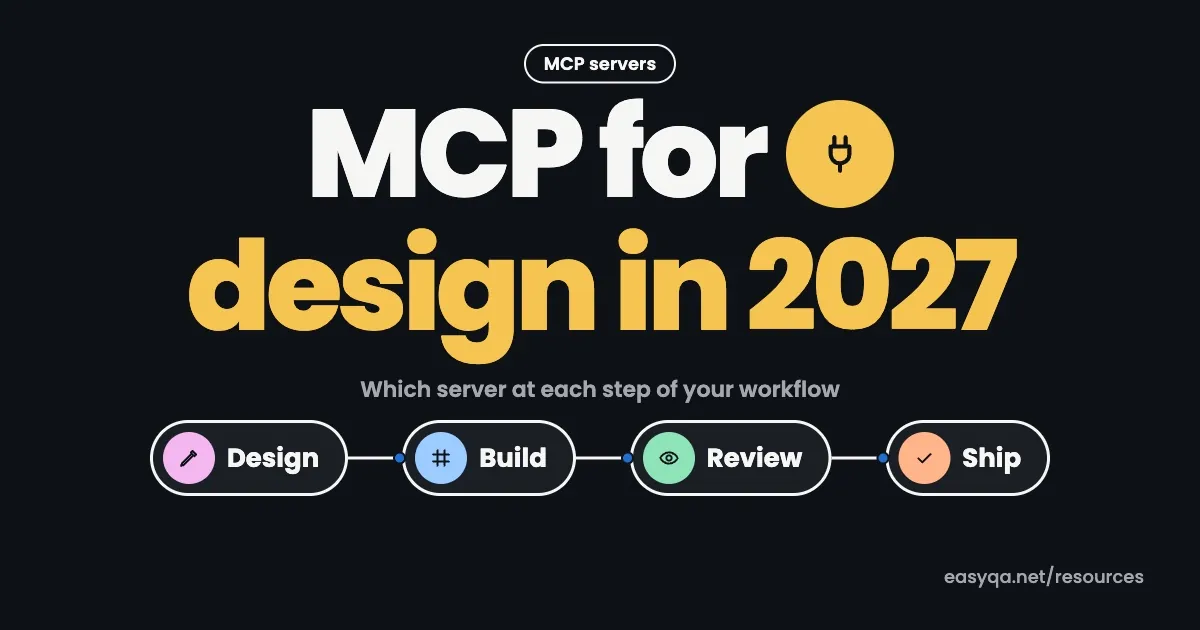
MCP for design connects Claude or Cursor to Figma, and paid Figma seats get 200 MCP calls a day. Free seats get 20 a month, so your Figma seat shapes which servers make sense for you.
Most guides rank design MCP servers as if you only need one. This guide goes job by job instead, then covers setup in Claude Code, Claude desktop, Cursor, and Antigravity.
What is MCP for design?
MCP (Model Context Protocol) is an open standard that lets an AI tool read data from another app. In design work, the AI is usually Claude or Cursor and the app is usually Figma. The AI reads your real frames, auto layout, variables, and component names instead of guessing from a screenshot, then writes code or pulls references from them.
The AI tool is the “client”. The app it reads from runs an MCP “server”. You can connect several servers to one client at the same time.
Step 1Research and inspiration
Ask an AI for a pricing page with no references and it gives you the same three-column card layout everyone else gets. Inspiration MCPs fix this by letting the agent look at shipped products before it designs anything.
Mobbin MCP launched on May 11, 2026, with 621,500+ real app screens. 10,105 people connected it in its first month. It's read-only and comes with Mobbin's Pro and Team plans.
Refero MCP covers 125,000+ screens and 8,000+ user flows. It needs Refero Pro, which includes 8,000 tool calls a month, and it lists Antigravity as a supported client.
A prompt that uses these well: “Find five onboarding permission screens from fintech apps on Mobbin, list what they have in common, then suggest a layout for our app.” You get named products and links you can check yourself.
This is also where an “MCP server for design patterns” earns its keep. The patterns come from real apps, so the AI isn't inventing them.
Step 2Keep your design system consistent
This is where design system MCPs pay off most, because they stop the AI from inventing new buttons.
The official Figma server has a search_design_system tool that searches your libraries for components, variables, and styles. It also ships a prompt called create_design_system_rules, which writes a rules file so the agent follows your tokens and naming. Run that prompt once per project before anything else.
Code Connect goes further. When it's set up, Figma swaps parts of the generated code for snippets from your real codebase, so the agent reuses your <Button> component. On Professional plans, only one framework can be active at a time.
On the code side, the shadcn MCP works with any shadcn-compatible registry, including private ones. If your company publishes its own component registry, the agent installs from it instead of writing components from scratch.
Step 3Use Figma MCP for design to code work
This is the step most people have in mind when they search for a Figma MCP. You have two real choices.
| Official Figma MCP | Framelink | |
|---|---|---|
| Cost | Free server, paid seat for real use | Free, MIT license |
| Sign-in | OAuth through Figma | Personal access token |
| Reads variables and Code Connect | Yes | Variables yes, Code Connect no |
| Writes to Figma | Yes (Full seat outside drafts) | No |
| Popularity | Official | ~14,500 GitHub stars |
The official server runs remotely at https://mcp.figma.com/mcp. Figma recommends it over the desktop version for most people. Its main tools are get_design_context, get_variable_defs, get_metadata, and get_screenshot.
Framelink is the best free option for turning frames into code. You create a Figma personal access token with file_content:read and file_dev_resources:read, then run npx figma-developer-mcp. It trims Figma's data down to layout and styles before the AI sees it. It only reads, though, and it still follows Figma's REST API limits.
Treat the output as a first draft. When Kombai tested Figma MCP with Cursor on a dashboard (Kombai sells a competing tool), the layout was right but card colors, a stats card, and icon colors were off. Responsive behavior is the weakest part, because a frame only shows one width.
Step 4QA the live build against the design
None of the servers above check whether the shipped page matches the file. This is the step teams skip, and it's where the 4px gaps and wrong greys slip through to the client.
Developers can use Chrome DevTools MCP, Google's official server, which exposes 26 tools for opening pages, resizing them, taking screenshots, and reading console errors. The agent can check its own work, which catches broken layouts.
Designers usually need a direct comparison instead: is this padding 16px or 12px, and is that the right blue? That's what EasyQA does. Load your design, for example a Figma export, next to the live page or over it, measure the difference, and pin it for your developer. Our design QA checklist lists what to check.
EasyQA has its own MCP server too. Your agent can put a build up for review, share the link, then read the comments and fix them. The EasyQA MCP docs show the setup for Claude, ChatGPT and Codex.
Setup by tool
Claude MCP for design (Claude Code and Claude desktop)
To add the Figma MCP server to Claude Code:
- Open a terminal in your project folder.
- Run
claude mcp add --transport http figma https://mcp.figma.com/mcp. - Sign in to Figma when the browser opens.
- Run
claude mcp listto confirm it's connected.
Add Mobbin the same way:
claude mcp add mobbin --scope user --transport http https://api.mobbin.com/mcpIn the Claude desktop and web apps, add Figma as a connector instead.
Cursor MCP for design
Add servers in .cursor/mcp.json for one project or ~/.cursor/mcp.json for all of them. If Figma calls start failing, the usual cause is an expired sign-in token: run “Clear All MCP Tokens” from the command palette and sign in again.
Antigravity MCP for design
Antigravity can't connect to the official Figma server yet. Figma only accepts clients from its MCP catalog, and Antigravity isn't listed, so sign-in fails. A report on Google's AI forum notes a GitHub issue open since June 2026 with 22+ upvotes. Gemini CLI does have access.
What works in Antigravity today: Framelink (it uses a token, not Figma's catalog), Refero MCP for references, and Google's Stitch MCP, which Google documents in its own design-to-code codelab.
What it costs
| Setup | Monthly cost | MCP limit |
|---|---|---|
| Figma free seat + official MCP | $0 | 20 calls a month |
| Figma Dev seat (Professional) + official MCP | $12 | 200 calls a day, 10 a minute |
| Figma Full seat (Professional) + official MCP | $16 | 200 calls a day, 10 a minute |
| Figma Enterprise + official MCP | Enterprise pricing | 600 calls a day, 20 a minute |
| Framelink | $0 | Figma REST API limits |
| Refero Pro + MCP | Refero Pro price | 8,000 calls a month |
Figma limits come from Figma's rate limits page, and Refero's from its MCP docs. Seat prices come from third-party listings, so check Figma's pricing page before you budget.
One frame often costs three or four calls (metadata, context, variables, screenshot), so 20 free calls cover about five or six frames. Write tools like generate_figma_design and create_new_file don't count toward the limit.
Mistakes to avoid
- Testing the official server on a free seat and burning all 20 calls on one screen. Use Framelink to experiment.
- Pointing MCP at a messy file. If layers are named “Frame 482” and nothing uses auto layout, the code will be just as messy.
- Giving write access too early.
use_figmacan edit your files, and Webflow's MCP can publish your site. Start on a test file and keep publishing as a human step. - Shipping the first output without a visual check. Compare the live page with the frame before the client sees it.
- Committing a Figma token to GitHub. Pick read-only scopes and keep tokens out of your repo.